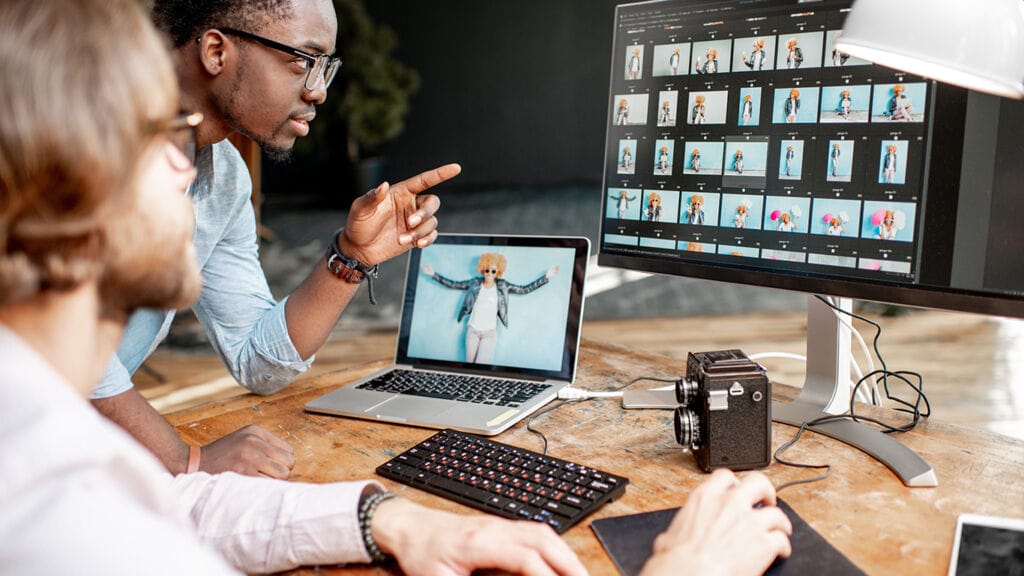
Whether you are a small business owner refreshing product photos, a content creator prepping images for social media, or someone who just wants to clean up a photo without hiring a designer, this article will help you evaluate the best online photo editing tools available today. You will walk away knowing what features actually matter, how to compare your options fairly, and which tools are worth your time based on your specific needs.
What Online Photo Editors Actually Do (And What They Don’t)
It helps to start with a clear picture of what you are actually getting with a browser-based photo editor. These tools sit between basic built-in phone editors and professional desktop software like Photoshop. They are designed for speed and accessibility, meaning you do not need design experience to get results. You can typically upload a photo, make targeted edits, and download a finished image in a matter of minutes.
Most modern online photo editors now include some version of AI-powered editing. This is a meaningful shift from older tools that required you to manually select, mask, and adjust every element. Today, the best platforms use machine learning to detect subjects, remove backgrounds, enhance lighting, and even generate or remove objects with minimal effort on your part. The difference in quality between AI-assisted tools and manual-only editors is significant, especially for users without advanced skills.
That said, not every online editor is built equally. The range of features, ease of use, output quality, and pricing models varies widely. Before committing to any tool, it is worth evaluating your needs against a clear set of criteria.
8 Key Criteria for Evaluating an Online Photo Editor
When comparing tools, keep these factors front of mind. They apply whether you are choosing a tool for occasional personal use or for consistent business output.
- Background removal quality. Look for AI-powered detection that handles hair, fur, fine edges, and complex backgrounds. Low-quality tools leave rough edges or fail on subjects with similar colors to the background. Test with your actual photos before committing.
- Image enhancement options. A solid tool should let you adjust brightness, contrast, saturation, sharpness, and shadows at minimum. Bonus points for auto-enhance features that analyze the photo and apply intelligent corrections.
- Ease of use. Consider how much setup is required. Does the tool require an account before you can try it? Is the interface intuitive for someone without design experience? A steep learning curve defeats the purpose of a quick editor.
- Output resolution and format flexibility. Some free tools compress your image significantly or limit you to specific file formats. Make sure the tool can export at the resolution you need and in formats like PNG (for transparent backgrounds), JPEG, and WebP.
- AI object removal and addition. Beyond background removal, the ability to erase unwanted elements (like photobombers or visual clutter) or add objects with generative AI is increasingly valuable and available on top-tier platforms.
- Template and design integration. If you plan to use your edited image in marketing materials, social posts, or other creative formats, choosing a tool that connects editing to a broader design workspace saves significant time.
- Mobile availability. If you do a lot of photo work from your phone, check whether the editor has a dedicated app or mobile-optimized interface, not just a desktop site.
- Pricing structure and what the free tier includes. Many tools offer a free plan with meaningful limitations. Understand what you actually get for free versus what requires a paid subscription. Some charge per credit for AI-powered actions, which can add up quickly.
Types of Online Photo Editors and Their Strengths
The online photo editing landscape breaks into a few broad categories, each with different strengths depending on how you plan to use them.
Dedicated background removal tools are built for one specific purpose: isolating a subject and removing everything else. They tend to perform this task extremely well, often in a single click. However, they usually stop there. If you need to enhance exposure, apply filters, or drop your subject into a new design, you will need a second tool. These are best for e-commerce sellers, HR teams building profile headshots, or anyone with a high volume of cut-out needs and no other editing requirements.
All-in-one browser-based editors are the most versatile category. They combine background removal with manual and AI-powered enhancement, design tools, templates, and export options. These are best for users who want one platform that handles multiple stages of the editing and design process. The tradeoff is that they can feel more complex upfront, though the best ones invest heavily in beginner-friendly design.
Mobile-first editing apps with browser versions are optimized for on-the-go use and often feature strong filters, social-specific formatting, and quick-share integrations. They may not match desktop-centric tools in precision, but they excel in speed and ease for everyday content.
Professional-adjacent online editors occupy a middle space, offering more precise controls like layer editing, curve adjustments, and selection refinement without requiring a download. These suit photographers and more experienced users who want browser-based access to deeper functionality.
Adobe Express Image Enhancer: One Solid Option Worth Considering
For users who want background removal and image enhancement under one roof, Adobe Express is a platform worth looking at seriously. The image enhancer is designed specifically for quick, AI-assisted photo improvements without requiring any prior design experience.
Three features stand out in particular. First, the one-click background removal uses AI to detect your subject and cleanly eliminate the background, which is particularly useful for product photography and profile images. Second, the generative AI object tools, powered by Adobe Firefly, let you add or remove elements from your photos by describing what you want in plain language. You can erase a distraction from a photo or insert a prop into a scene without touching a masking tool. Third, the platform connects photo editing directly to a full design workspace, so once your image is enhanced, you can immediately use it in a social post, flyer, presentation, or other creative format without switching apps.
Adobe Express offers a free plan that includes core editing tools, thousands of templates, and a limited number of generative AI credits. A paid plan unlocks more credits, premium templates, and higher output limits. The tool works on desktop and through a mobile app for both iOS and Android, which adds flexibility for users who work across devices.
It is worth noting that some advanced AI features require generative credits, and depending on your volume of use, that could factor into your decision. But as a starting point for users who want speed, breadth, and design integration, it holds up well against the competition.
When a Simpler Tool Is the Right Call
Not everyone needs a full-featured platform. If your only goal is to remove a background from a batch of product images and nothing else, a dedicated cut-out tool will likely be faster and cleaner for that narrow task. These tools are often free for basic use and require no learning curve whatsoever. Upload, process, download. Done.
Similarly, if you are working primarily from a mobile device and your edits are limited to filters, cropping, and basic adjustments for Instagram or TikTok, a mobile-first editor may be a better fit than a desktop-centric tool with a mobile app bolted on as an afterthought. Consider where most of your editing actually happens before choosing a platform.
How to Match the Tool to Your Use Case
Rather than chasing the most feature-rich platform, focus on your most common editing task and let that drive your decision.
- If you edit product photos for an online store and need clean, white-background images at scale, prioritize background removal precision and batch processing if available.
- If you manage social media accounts and need polished, on-brand visuals quickly, prioritize template libraries, export presets for different platforms, and an intuitive interface.
- If you are a freelancer editing client photos, prioritize output quality, resolution control, and professional-grade enhancement tools.
- If you are a student or individual who edits occasionally, prioritize what is actually available on the free tier so you are not paying for features you rarely use.
The best tool is the one you will actually use consistently. A powerful platform that takes 30 minutes to figure out is less useful than a simpler one you can navigate in five.
FAQ
Does free online photo editing actually produce professional-quality results?
The honest answer is that it depends on the task. For background removal, AI-powered free tools have improved dramatically and can produce clean results on many subjects. However, photos with intricate edge detail, like curly hair or transparent fabric, may still require manual touch-up that free tools do not always support well. For basic image enhancement such as brightness, contrast, and saturation adjustments, free tools are absolutely sufficient for most social media and web purposes. Where free tiers tend to fall short is in output resolution, the number of AI-powered actions allowed per month, and access to advanced features like generative AI. If you are producing content for print or high-resolution commercial use, you will likely need to invest in a paid plan at some point.
How important is it for a photo editor to have AI features specifically?
Increasingly, AI features are the difference between spending five minutes or thirty minutes on an edit. Manual background removal, for instance, requires careful, time-consuming selection work that even experienced editors find tedious. AI handles this in seconds. The same applies to object removal, sharpening blurry images, and auto-correcting exposure. For casual users, AI features lower the barrier to producing decent results significantly. For professionals, they speed up routine tasks so more time can go toward creative decisions. That said, AI is not infallible. Results still vary by photo complexity, and having access to manual adjustment tools alongside AI is important for fine-tuning. A tool that offers both AI assistance and manual controls is more versatile than one that relies exclusively on either approach.
What is the difference between background removal and background replacement?
Background removal cuts the background out of your photo and leaves the subject with a transparent background, saved typically as a PNG file. This is useful when you want to place the subject on a new background elsewhere, whether that is a plain color, a different photo, or a designed layout. Background replacement goes a step further by combining removal and insertion in one step, letting you swap the background for a new one directly within the same tool. Some platforms now offer AI-powered background replacement that can generate an entirely new background from a text prompt, which is particularly useful for product photography where you want a scene that does not exist. If you plan to use your subject across multiple different backgrounds, removal to a transparent file is often more flexible. If you have a specific background in mind for a single use, direct replacement is faster.
How do I know if my photo is high enough resolution to enhance well?
A good rule of thumb is that if your original image looks sharp at full size on your screen, it will likely enhance well. Most modern smartphone cameras produce photos that are more than sufficient for web and social media use. Where resolution becomes a concern is when you are working with older images, heavy crops, or screenshots. Some AI enhancement tools include an upscaling feature that can intelligently increase resolution, but there are limits to how much detail can be recovered from a very low-quality source. Before relying heavily on enhancement to fix a resolution problem, check whether your original file is at least 1000 pixels wide for social media use or 2000 pixels wide for print applications. Tools like Squoosh, a free browser-based image compression and conversion tool from Google, can help you inspect file dimensions and experiment with different resolution outputs before you commit to an edited version.
Is it safe to upload personal or client photos to online editing tools?
This is a legitimate concern, especially if you are working with images of identifiable people, proprietary products, or sensitive business visuals. Most reputable platforms publish privacy policies that specify whether uploaded images are stored, used to train AI models, or shared with third parties. Before uploading anything sensitive, read the privacy policy of any tool you are considering, specifically looking for language around data retention and AI training. Many platforms allow you to opt out of having your content used for training, and some delete uploaded files immediately after processing. If you are handling client photos professionally, it is worth checking whether the platform offers a business or enterprise plan with stronger data handling agreements, which often include more explicit privacy protections and contractual commitments that a standard free account does not provide.
The Bottom Line
Online photo editors have come a long way, and the best ones today can handle background removal, image enhancement, and design integration without requiring you to learn a new skill set or invest in expensive software. The right choice comes down to what you are editing, how often you edit, and whether you need a narrow specialist tool or a broader creative platform.
If you edit occasionally and want fast, good-enough results, a free tool with solid AI features will likely serve you well. If you produce content regularly for a brand, a business, or an audience, investing in a platform that combines photo editing with design tools, templates, and multi-device access will pay off quickly in time saved. Take advantage of free tiers to test two or three options with your actual photos before committing, and pay attention to edge quality, output resolution, and how intuitive the interface feels in real use.